Introducing Autopilot: the calorie counter that tells you what to do next
Most calorie apps track. They tell you what you ate. Autopilot tells you what to do next, and moves your calorie target on your own weight data.
The problem nobody talks about
You download a calorie tracker. You set a goal. You log everything for three weeks straight. Your weight drops. You feel great.
Then it stops.
The scale doesn't move for a week. Then two. You are still eating the same amount, still logging every meal. Your app still shows the number it showed you on day one. It has no idea what is happening, and no suggestion. It just tracks.
This is where every calorie counter fails. They tell you what you ate. They never tell you what to do next.
That is why we built Autopilot.
What Autopilot is
Autopilot owns your daily calorie target. It reads your real weight data and moves that target for you. When your weight stalls, it knows. When you are losing, it knows. And it tells you what to change next, or that nothing needs changing.
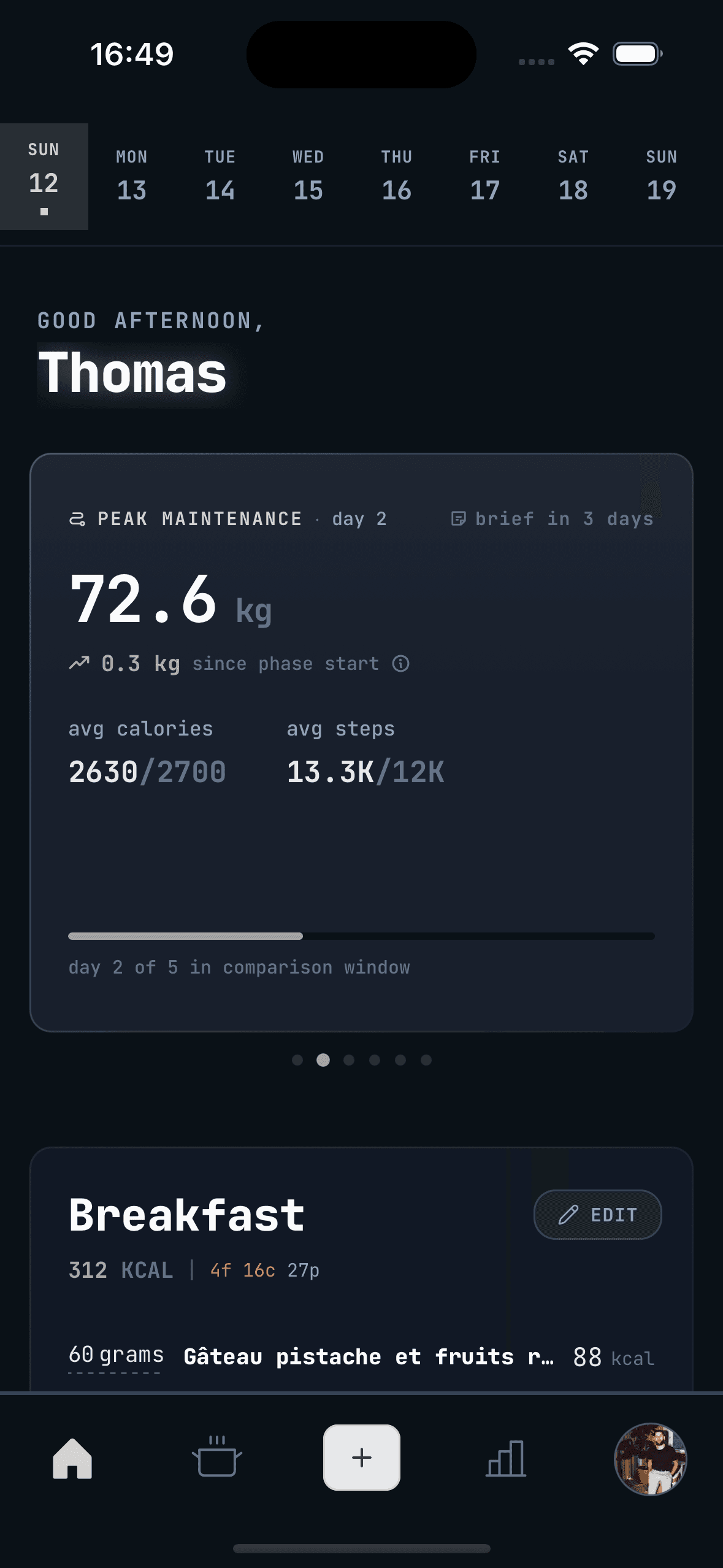
It is not AI. There is no model guessing at your body. Autopilot runs on rules you can read, and every recommendation traces back to one of them. It runs on your device, offline, with no server call.
You always know why your target changed.
The comparison window
The comparison window is how many days of your data Autopilot reads before it calls a result. The default is 5 days. You can set it anywhere from 3 to 15.
- Day 0. You start a phase or confirm an adjustment. The window opens.
- Day 5. Autopilot compares today's weight to your weight 5 days ago.
- The verdict. You lost, you gained, or you held.
What Autopilot does with that verdict depends on your phase. The principle never changes. It reads your actual weight trend and recommends from what it sees.
If nothing needs to change, the window slides forward. Day 6 against day 1, day 7 against day 2, until something moves. Confirm an adjustment and the window resets to day 0.
Every adjustment is 200 kcal, up or down. No partial steps. Just 200 kcal at a time, compounding.
The Brief
When a window completes you get a Brief. One screen, about 30 seconds.
It shows your phase and what day you are on, your current target, the two weights side by side, and what the data says in plain words.
Here is what happened, here is what it means, here is what to do.
Three ways out:
- Confirm. Accept the recommendation and apply the calorie change.
- Postpone. Push the comparison forward a few days. Useful if you have been bloated, travelling, or off your usual week.
- End phase. Leave the current phase and pick what comes next.
The rest of the time you live your life and log your meals.
The five phases
Each phase has one job and its own rule for moving your target. Autopilot recommends the logical next one. You choose.
Peak Maintenance (free)
Everyone starts here. The job is to find the highest calorie intake your weight holds steady at. That number is your peak, and every other phase anchors to it.
Autopilot starts at your estimated calories and works up. Your weight stalls, it adds 200 kcal. Your weight starts climbing, it pulls back, and the level before that is your peak.
Peak Maintenance is free. No trial, no paywall. Everyone should know the number their body actually holds at.
Cut
Guided fat loss. It starts at your peak minus 200 kcal and takes another 200 kcal off each time your weight stalls. While you are losing, it holds. The cut is working.
Cut carries Recovery Mode. Report low energy on two check-ins in a row and Autopilot raises your target by 200 kcal, then works back up toward your peak. Nobody has to suffer through a deficit that stopped being useful.
Reverse Diet
After a cut you do not want to jump straight back to high calories and regain it all. Reverse Diet raises your target in steps and watches for weight gain. When your weight starts climbing, you have found your new peak. It is often higher than the old one.
Bulk
A controlled surplus. It starts at your peak plus 200 kcal. If your weight is not moving up at all, it adds more. Stable to slight gain is the range you want.
Reset
A Cut and a Reverse Diet run back to back, to shed the fat a bulk put on and settle at a new composition. Same rules as the two phases it is made of.
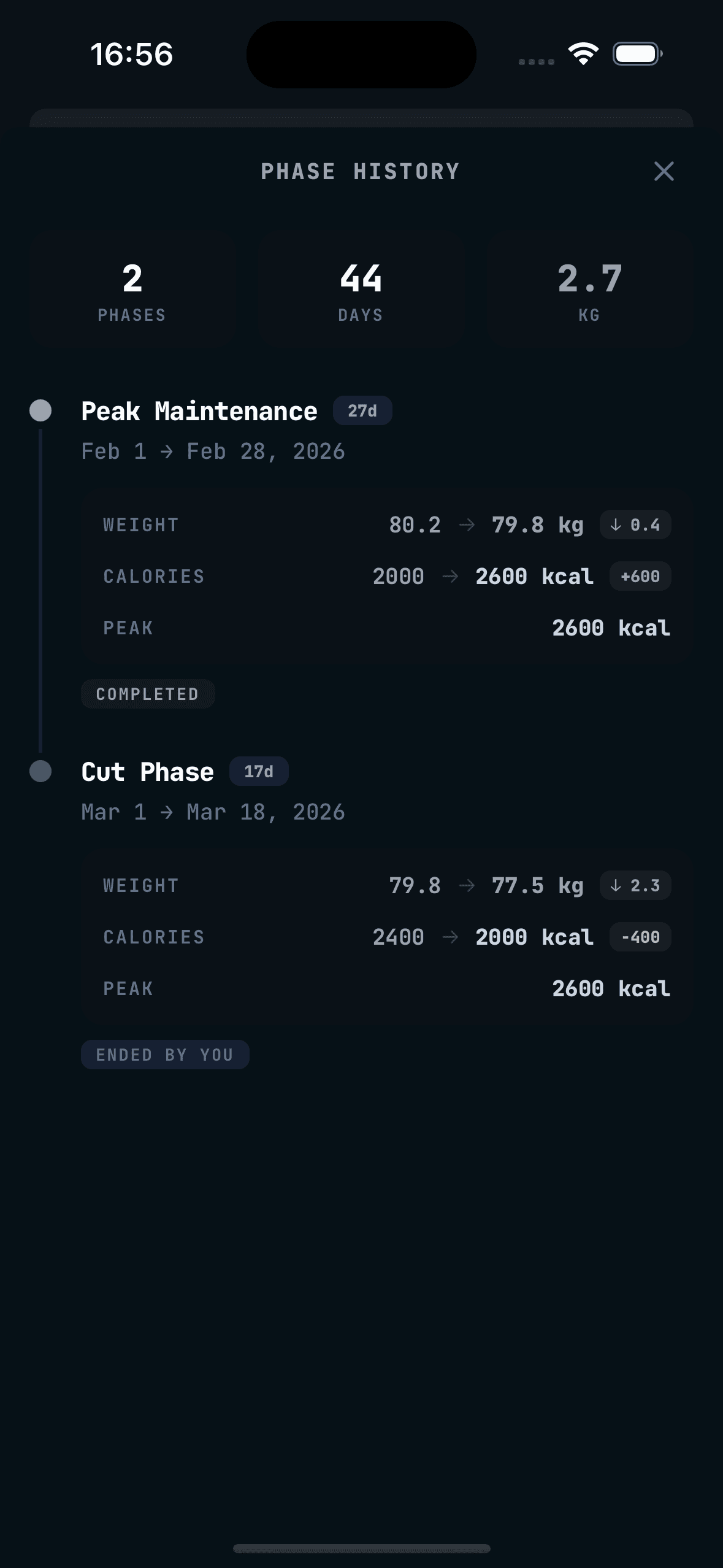
Cut, Reverse Diet, Bulk and Reset need Premium. Peak Maintenance does not.
Your peak is the number that matters
Most people take their maintenance calories from a calculator. Height, weight, age, activity level, out comes 2,400 kcal. Or 1,800. Every decision since has rested on that estimate.
Your peak is measured, not estimated. It is the highest intake your body holds its weight at, and it is yours at this point in time.
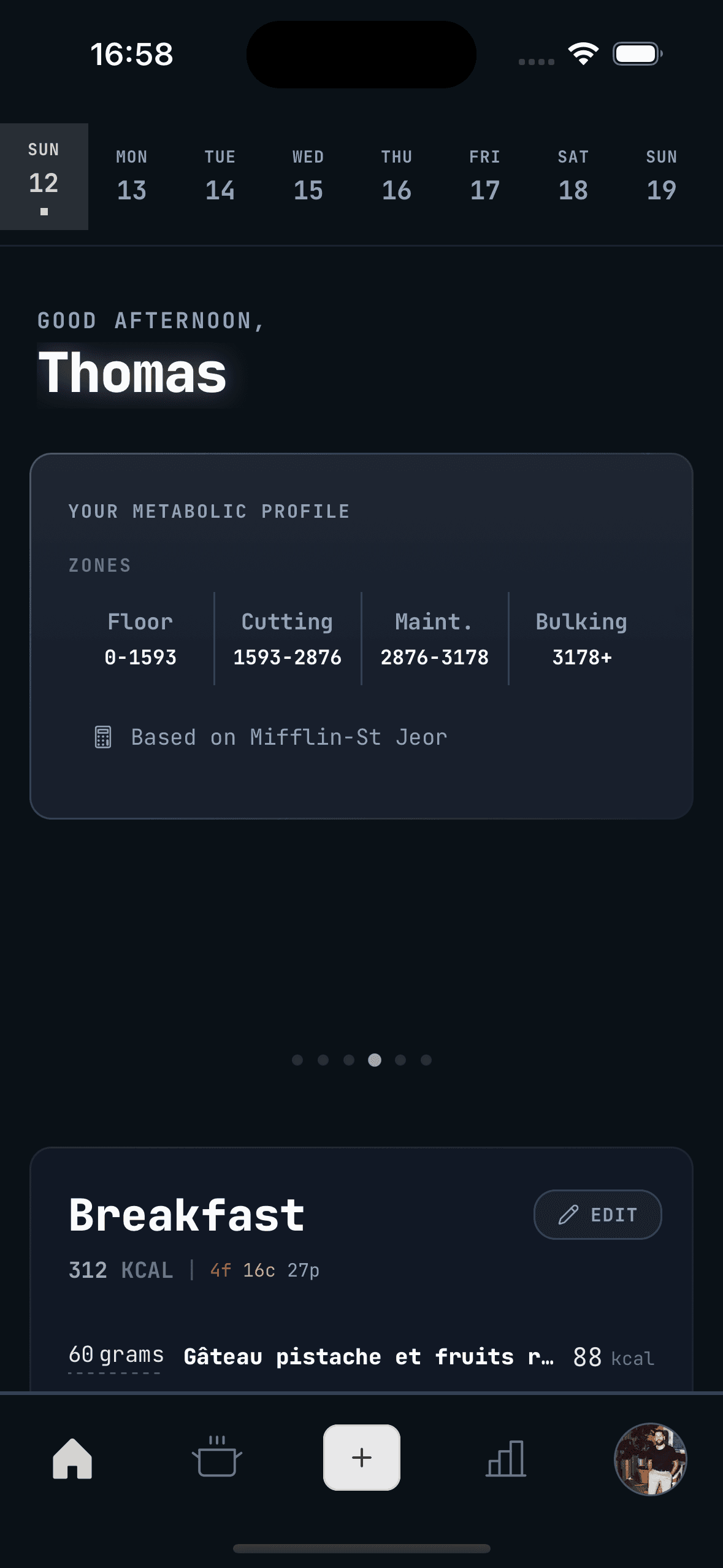
Once you know it, everything gets simpler. Cutting goes below it. Bulking goes above it. Reverse dieting works back up to it.
And it moves. After a good reverse diet your peak can sit higher than it did before. Autopilot keeps the history so you can watch it change.
Recovery Mode
Dieting too hard for too long is a real problem. Energy crashes, the gym goes badly, food takes over your head. Most apps have no idea it is happening.
Every Brief during a cut asks how your energy is. Report low twice in a row and Autopilot offers Recovery Mode. You can also start it yourself from settings.
Recovery Mode adds 200 kcal straight away and keeps climbing until you are back at your peak. Same ascending rule as Peak Maintenance. Add 200 kcal when you stall, hold while you are losing.
Autopilot will not let you run yourself into the ground.
Why rules and not AI
We could have trained a model. We didn't.
You can trace it. Autopilot says take off 200 kcal, and you can see why. Your weight was X five days ago. It is X today. That is a stall. In a cut, a stall means 200 kcal off.
It is predictable. The same inputs give the same output, every time. No drift, no bad day. Learn the rules and you can see the recommendation coming.
It runs offline. Everything happens on your device. No server call, no internet needed. Your weight never leaves your phone to be calculated on.
Your nutrition affects your energy, your health and your day. You should understand every call the app makes about it.
Getting started
Turning Autopilot on takes about a minute. Set your starting calories, pick your comparison window, choose a phase.
Peak Maintenance is free. No card, no trial. Find the number your body holds at, then do what you like with it.
Cut, Reverse Diet, Bulk and Reset are Premium. The foundation is the free part.
Your calorie counter should do more than count.